If you are comparing Best AI Captions vs Happy Scribe for a single recording, Best AI Captions is the simpler free option, while Happy Scribe is the better fit for broader multilingual captioning and translation workflows.
- Best AI Captions is best for one video or audio file when you want free, no-account transcription with editable captions and TXT, DOCX, SRT, and VTT exports.
- Happy Scribe is better when you need transcription, subtitling, and translation in one platform, especially across many languages.
- Choose Happy Scribe if that broader workflow is worth the extra complexity for your use case; choose Best AI Captions if you want the simplest path from upload to corrected captions.
Best AI Captions
Best for: one video at a time, with no account and no subscription. Upload a video. Check the captions. The full video is free.
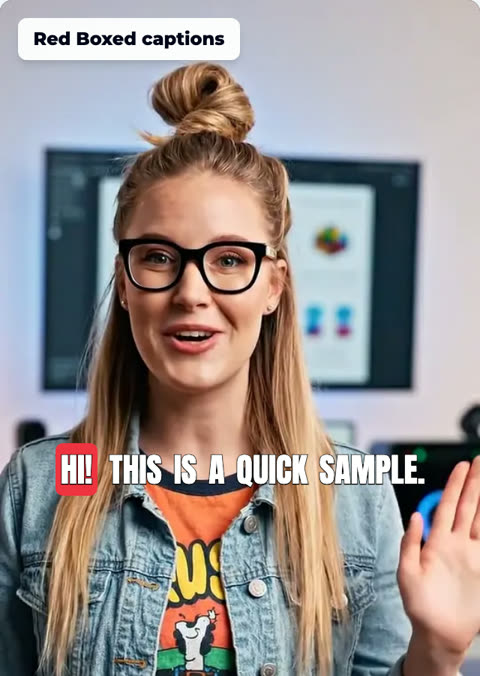
- Pick the font, color, size, and place
- No account needed
Best AI Captions vs Happy Scribe: the short version
If you only need to turn one recording into clean captions or a transcript, Best AI Captions is the more direct tool. It is free, does not require an account, and keeps the workflow focused on one file at a time.
Happy Scribe is better when the job is bigger than captioning alone. Its official site positions it as a transcription, subtitling, and translation platform in more than 150 languages, which is useful if you want multiple steps in one place. Happy Scribe
- Best AI Captions is built for a single video or audio file: upload it, review the transcript, correct any wrong words, and download TXT, DOCX, SRT, or VTT.
- Happy Scribe is a broader platform for transcription, subtitling, and translation, and its official site says it supports over 150 languages.
- For a one-off caption task, the simpler workflow usually matters more than a long feature list. For teams or multilingual projects, Happy Scribe’s wider scope can be the better fit.

Pricing comparison
Best AI Captions is free to use for its transcript and caption workflow. There is no account requirement and no subscription in the flow described on the site, so you can move from upload to export without a signup step.
For Happy Scribe, we could not confirm current pricing from the official site material we checked, so you should verify the latest plan details on Happy Scribe’s website before making a purchase decision. Pricing changes and the reader should confirm on the vendor’s page. Happy Scribe
- Best AI Captions is free and does not require an account for transcription and export.
- We could not verify current pricing from Happy Scribe’s official site in this pass, so confirm its latest plans on its pricing page before you decide.
- If you only need one finished transcript or caption file, Best AI Captions removes the usual setup friction. If you need a broader platform, Happy Scribe may justify the extra effort.
Account requirements
Best AI Captions is designed for immediate use. You upload a file and start working without creating an account.
Happy Scribe’s public site emphasizes the platform’s transcription, subtitling, and translation capabilities, but we could not verify from the source we checked whether an account is required before you can use the workflow you need. If that matters to you, check its current onboarding flow directly. Happy Scribe
- Best AI Captions: no account needed to transcribe a file and export captions.
- Happy Scribe: we could not confirm the current account flow from the source we checked, so verify the sign-up process on its site.
- If avoiding account creation is important, Best AI Captions is the clearer fit.
Transcription accuracy and how wrong words get fixed
No transcription tool is perfect, so the practical question is how quickly you can correct the result. Best AI Captions is explicit about this: you can edit the transcript after upload, and those corrections carry through to every download and to the captions burned into the video.
That makes Best AI Captions practical for a single recording where you care more about a clean final file than about batch automation. With Happy Scribe, the official site confirms the broader transcription and subtitling offering, but we could not verify the exact correction workflow from the source we checked, so review the editor experience on its site before choosing it. Happy Scribe
- Best AI Captions gives you an editable transcript, so you can fix wrong words before exporting.
- Corrections carry through to every download and to the captions burned into the video.
- Happy Scribe is known for a broader workflow, but we could not verify a side-by-side correction detail from the source we checked, so confirm its editor behavior if that feature matters to your process.

Export formats
Best AI Captions keeps export choices simple and practical: TXT and DOCX for text workflows, plus SRT and VTT for captions. If you need one file that can move into a doc, CMS, or video editor, those four formats cover the most common paths.
For Happy Scribe, we could not confirm a complete export-format list from the source we checked, so you should verify the exact file types it supports before you commit to a workflow. Happy Scribe
- Best AI Captions exports TXT, DOCX, SRT, and VTT.
- That covers both plain transcript delivery and subtitle/caption workflows.
- We could not verify Happy Scribe’s full export list from the source we checked, so confirm the exact file types on its site if your downstream workflow depends on them.
Language and script support
Happy Scribe stands out here. Its official site says it offers transcription, subtitling, and translation in over 150 languages, which makes it a better fit for multilingual teams and international content pipelines. Happy Scribe
Best AI Captions is focused on the one-file captioning task rather than a broad language platform. If your primary need is a clean transcript for one recording, that narrower scope can be an advantage because it keeps the workflow simple.
- Happy Scribe’s official site says it supports transcription, subtitling, and translation in over 150 languages.
- That broad language coverage is the strongest reason to choose it over a simpler single-file tool.
- Best AI Captions is the better fit when you want a straightforward transcript and captions rather than a multilingual production workflow.

Length limits
Best AI Captions is best for short, single-file jobs. The limit is clear: one file at a time, up to 1 GB and up to 15 minutes. That makes it a strong choice for short clips, quick captioning tasks, and focused transcript cleanup.
If you work with longer recordings or a backlog of files, Happy Scribe may be the more suitable platform, but you should verify its current limits directly before you rely on it for that use case. Happy Scribe
- Best AI Captions supports one file at a time, up to 1 GB and up to 15 minutes.
- If your recording is longer than that, Best AI Captions is not the right fit for the job.
- We could not verify Happy Scribe’s current file-length limits from the source we checked, so confirm them on its site if long-form audio or video is your deciding factor.
Advantages of Happy Scribe
Happy Scribe is better at breadth. If you need one platform that handles transcription, subtitling, and translation, its official positioning is stronger than a single-purpose caption workflow. That range is valuable when your content moves through multiple steps or multiple languages. Happy Scribe
It is also the better choice when you want a tool that is designed around broader team workflows rather than a quick one-file task. If you do not need that range, though, Best AI Captions is simpler, faster to start, and easier to keep focused on the file in front of you.
- Happy Scribe is worth paying for when you need transcription, subtitling, and translation in one place.
- Its over-150-language coverage is especially useful for teams publishing in multiple markets.
- It is also a better fit if your process depends on a broader production platform rather than a single-file caption tool.
- Best AI Captions is still the simpler choice when you only need a fast, free result from one file.
Which one should you choose?
For a single recording, Best AI Captions is the easiest recommendation. It is free, does not require an account, and gives you the basic outputs most people need: transcript, subtitle files, and a captioned video with corrections carried through.
Choose Happy Scribe when the scope of the project is bigger than one file and one export. If you need transcription, subtitling, and translation in a single platform, its broader feature set and language coverage make sense. Happy Scribe
Figures about other companies on this page were checked in November 2026.
- Best AI Captions wins on simplicity: free, no account, one file, editable transcript, and straightforward exports.
- Happy Scribe wins on breadth: transcription, subtitling, translation, and over 150 languages.
- Choose Best AI Captions for the fastest path from upload to finished captions; choose Happy Scribe when multilingual workflow coverage matters more than a minimal setup.
More guides from Best AI Captions
If you want to go deeper, these related articles cover adjacent workflows and decision points.
- Best AI Captions vs TurboScribe — Best AI Captions is the better fit for a single video or audio file when you want free, no-account transcription with editable captions and export options. TurboScribe is better if you have a large backlog and want unlimited transcription on a flat subscription.
- TurboScribe alternatives: how it compares and when to use something else — TurboScribe is a strong fit if you have a large backlog of recordings and want unlimited transcription. If you need a different workflow, compare it with Best AI Captions for free, no-account transcription of a video or audio file into editable text, plus TXT, DOCX, SRT, and VTT exports.
- Happy Scribe reviews: what users actually say — Happy Scribe combines transcription, subtitling, and translation in one platform, but reviews show a mixed picture: strong workflow breadth, uneven value for some users, and a smaller public review footprint than you might expect. Here’s what reviewers consistently praise, what they complain about, and when Best AI Captions is the simpler fit.
Step-by-step
- 1
Upload your file
Upload one video or audio file to Best AI Captions. The tool is designed for a single file at a time, and you do not need an account to start.
- 2
Fix the transcript
Review the editable transcript and correct any word that came out wrong. Best AI Captions is built around making that edit easy before you export.
- 3
Choose an export format
Download the output you need. Best AI Captions supports TXT, DOCX, SRT, and VTT, so you can choose a text file or a caption file depending on your workflow.
- 4
Create the captioned video
If you want burned-in captions, use the corrected transcript to generate the captioned video. Corrections carry through to the captions burned into the video, so one edit updates every output.
- 5
Check the file limits first
If your file is larger than 1 GB or longer than 15 minutes, choose a different workflow before you upload. Best AI Captions is built for short, single-file jobs rather than long-form batch processing.
Sources and further reading
Frequently asked questions
Which is better for a single video: Best AI Captions or Happy Scribe?
Choose Best AI Captions if you want to upload one video or audio file, edit the transcript if needed, and download TXT, DOCX, SRT, or VTT without creating an account. Choose Happy Scribe if you need a broader workflow that combines transcription, subtitling, and translation in one place, and you want that range of tools for more than a single quick captioning task.
Do you need an account for either tool?
Best AI Captions does not require an account for transcription and caption export. Happy Scribe’s public site describes its platform and services, but we could not confirm account requirements from the source we checked, so verify the current sign-up flow on Happy Scribe’s site if that matters to you.
Which tool gives more export formats?
Best AI Captions supports TXT, DOCX, SRT, and VTT. Happy Scribe’s official site confirms transcription, subtitling, and translation, but we could not verify a full export-format list from the source we checked, so confirm the exact output options on Happy Scribe’s site before you choose it.
Which tool has stronger language coverage?
Happy Scribe is the clear choice if you need transcription, subtitling, and translation in over 150 languages. Best AI Captions is the better fit when you mainly need a fast transcript and captions for a single file, rather than broad multilingual workflow coverage.
Which tool is better for longer files?
Best AI Captions is limited to one file at a time, up to 1 GB and up to 15 minutes. Happy Scribe’s length limits were not publicly confirmed from the source we checked, so you should verify them directly on Happy Scribe’s site if file length is your deciding factor.