If your goal is simple, editable captions from one video or audio file, Best AI Captions is the easier free choice. If you need a larger transcription and translation suite, Happy Scribe can be the better fit.
- Choose Best AI Captions if you want free transcription and subtitling, no account, no subscription, and quick exports to TXT, DOCX, SRT, or VTT.
- Choose Happy Scribe if you need transcription, subtitling, and translation in one product, or if you want both automatic and human options from the same vendor.
- Use the other alternatives when you need a broader workflow, different languages, or a team-oriented process that Best AI Captions does not try to replace.
Best AI Captions
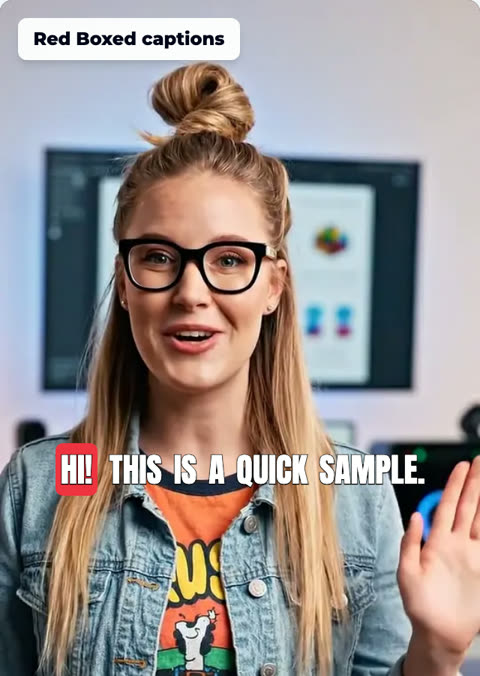
Best for: one video at a time, with no account and no subscription. Upload a video. Check the captions. The full video is free.
- Pick the font, color, size, and place
- No account needed
Why people start looking for Happy Scribe alternatives
People usually move on from Happy Scribe when they realize they do not need the full transcription-and-translation stack for every project. They may just want captions from a recording, a fast edit loop, and a clean export they can post right away.
That is where a simpler tool can win: fewer steps, less setup, and a workflow that stays focused on getting words out of a file and into a usable format.
Comparison table
Use this table to scan the big differences before you dig into the details.

Comparison table
We could verify that Best AI Captions is free and does not require an account or subscription on the Best AI Captions site. We could not verify public pricing for Happy Scribe from a source we were given, so check its current pricing page before deciding.
| Tool | Best for | Starting price | Key difference |
|---|---|---|---|
| Best AI Captions | Simple, free captioning from one video or audio file | Free | No account or subscription; upload, edit, and export TXT, DOCX, SRT, or VTT |
| Happy Scribe | Users who want transcription, subtitling, and translation in one product | Not publicly listed in the sources checked October 2026; confirm on Happy Scribe’s pricing page | Broader suite with automatic and human options |
Best AI Captions: who it is best for, what it does and how to start
Best AI Captions is best for people who want a straightforward way to turn a video or audio file into editable captions without creating an account or setting up a subscription. It is also a strong fit when you care more about a fast correction workflow than about a large platform with extra layers.
The process is simple: upload one file, review the transcript, make any edits, and download the version you need. Because corrections carry through to every download and to the captions burned into a video, you do not have to repeat fixes across formats.
If you want a practical walkthrough of the workflow, see How to Make AI Captions in Best AI Captions: A Step-by-Step Walkthrough.
- One file at a time, up to 1 GB and up to 15 minutes
- Editable transcript so you can fix a wrong word before exporting
- Exports to TXT, DOCX, SRT, and VTT
- Corrections carry through to every download and to captions burned into a video
- No account and no subscription

Best AI Captions vs Happy Scribe
Here is the difference that matters most: Best AI Captions is built for a small, direct captioning workflow, while Happy Scribe is built as a broader transcription, subtitling, and translation product. If you need the extra surface area, Happy Scribe can make sense. If you want to get a file in, correct it, and export it quickly, Best AI Captions is easier to live with.
- Free transcription and subtitling
- No account required
- No subscription required
- Editable transcript with corrections that carry through to exports and burned-in captions
- TXT, DOCX, SRT, and VTT downloads
Best AI Captions vs Happy Scribe
The most useful question is not which one has more features. It is whether you need a broad transcription workspace or a fast captioning tool that stays out of your way.
- Accuracy on real speech: Best AI Captions gives you a clean editable transcript workflow; Happy Scribe is known for a wider transcription suite, but we could not verify a head-to-head accuracy claim from the sources checked.
- Ease of fixing wrong words: Best AI Captions keeps edits in one transcript and carries them into every export; Happy Scribe’s editing experience is not verified here from a source we can cite.
- Formats out: Best AI Captions exports TXT, DOCX, SRT, and VTT; Happy Scribe offers transcription, subtitling, and translation, but exact current export formats should be checked on its site.
- Language coverage: Happy Scribe is the broader multilingual choice; Best AI Captions focuses on a simple captioning workflow and does not position itself as a translation suite.
- File length limits: Best AI Captions supports one file up to 1 GB and up to 15 minutes; we could not verify Happy Scribe’s current public limit from the sources checked October 2026.
- Account required: Best AI Captions does not require an account; Happy Scribe account requirements should be checked on its current sign-up flow.
- Price: Best AI Captions is free; Happy Scribe pricing was not publicly listed in the sources checked October 2026, so confirm on its pricing page before you compare.
Happy Scribe
Happy Scribe is the right alternative to consider if your workflow goes beyond captions alone. The range of transcription, subtitling, and translation can be worth it when you want one vendor for multiple language tasks.
It is the better choice than Best AI Captions when you need that wider feature set and are willing to trade simplicity for coverage. If your main job is just to turn one file into editable captions, Best AI Captions is usually the more direct option.
- Best for teams or individuals who need transcription, subtitling, and translation in one vendor
- Strengths: broader product range, automatic and human options, and a single place to manage more kinds of language work
- Weaknesses: more complexity than a simple captioning tool, and we could not verify current public pricing from the sources checked October 2026
- Starting price: not publicly listed in the sources checked October 2026; confirm on Happy Scribe’s pricing page
- Better than Best AI Captions when you need translation or a more complete transcription workflow, not just quick captions
Choose Happy Scribe if
Choose Happy Scribe if you want transcription, subtitling, and translation in a single place, and if you expect to use both automatic and human options. It is also the better fit when your workflow is more complex than simple caption export and you want a platform that handles several language tasks at once.
Do not choose it just because you think a bigger platform must be better. If your real goal is quick captions from a single recording, Best AI Captions is the simpler and more focused choice.

FAQ
Common questions about price, free access, and moving from Happy Scribe often decide the final choice.
Conclusion
If you need a broad transcription and translation suite, Happy Scribe is worth a look. If you want free captions from one file at a time with no account, no subscription, and easy export to TXT, DOCX, SRT, or VTT, Best AI Captions is the better fit.
The next step is simple: try Best AI Captions with a short clip, fix any word that needs attention, and see whether the workflow matches how you actually work.
Step-by-step
- 1
Upload your file
Upload one video or audio file to Best AI Captions. The tool supports a single file at a time, up to 1 GB and up to 15 minutes.
- 2
Check the transcript
Review the editable transcript and listen for any places where a word, name, or phrase needs correction.
- 3
Edit once
Fix mistakes directly in the transcript. The corrected text carries through to every download and to captions burned into a video.
- 4
Download your format
Export the version you need as TXT, DOCX, SRT, or VTT.
- 5
Match the tool to the job
If you are comparing tools, decide whether you need only quick captions or a broader suite like transcription, subtitling, and translation in one product.
Sources and further reading
Frequently asked questions
Is Best AI Captions free?
Best AI Captions is free, and it does not require an account or subscription. You can upload one video or audio file at a time, make corrections in the editable transcript, and download TXT, DOCX, SRT, or VTT. Corrections carry through to every download and to captions burned into a video. See the product page for the current workflow: Best AI Captions.
When should I choose Happy Scribe instead of Best AI Captions?
Happy Scribe is worth considering if you want transcription, subtitling, and translation in one place, or if you need both automatic and human options from the same vendor. For simple caption creation and quick edits, Best AI Captions is the more direct fit.
Can I switch from Happy Scribe to Best AI Captions easily?
Yes. If you already have a transcript or caption workflow in Happy Scribe, the main switch is to upload your file to Best AI Captions, review the editable transcript, fix any words that need correction, and export the format you need. The service supports one file at a time up to 1 GB and up to 15 minutes.
How do I compare pricing across these alternatives?
We could not verify public pricing, plan names, ratings, or review counts for every alternative from the sources available here. For any vendor you are considering, check its current pricing page before you decide, because pricing changes.