Best AI Captions wins for free, no-account captioning and transcript export. Descript wins when transcript-driven editing matters more than simplicity.
- Best AI Captions is the simpler free choice for one file at a time, with no account and exports in TXT, DOCX, SRT, and VTT.
- Descript is better if you want to edit a podcast or video by deleting words in the transcript, which is a genuinely different workflow.
- If you only need captions or an editable transcript, Best AI Captions is the faster fit; if you need transcript-based editing, Descript is the stronger editor.
Best AI Captions
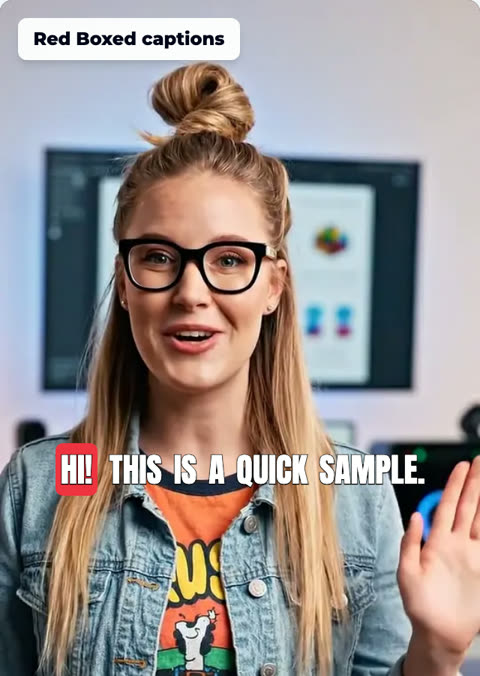
Best for: one video at a time, with no account and no subscription. Upload a video. Check the captions. The full video is free.
- Pick the font, color, size, and place
- No account needed
Best AI Captions vs Descript: the short version
If you want a quick, free way to turn one recording into an editable transcript and caption files, Best AI Captions is the simpler option. You do not need an account or subscription, and the output is designed to be easy to review and reuse.
If you want to edit a podcast or video inside a transcript-first editor, Descript is in a different category. That workflow is genuinely powerful because the transcript and the media stay linked, so trimming text trims the recording too.
- Best AI Captions is built for a single job: upload one video or audio file, read the transcript, fix mistakes, and export captions or text.
- Descript is not just a caption tool. It turns the transcript into the timeline, so you can edit audio and video by deleting words.
- That makes this a real workflow choice, not just a feature checklist.
Pricing and account requirements
Best AI Captions is free to use and does not require an account or subscription. That matters if you only need to process one recording and move on.
Descript’s own pricing structure is more complex because it includes a free plan and paid tiers. The only verified figure here is that paid plans start at $24 per month as of October 2026. Source
- Best AI Captions: free, no account, no subscription.
- Descript: offers a free plan and paid plans starting at $24 per month as of October 2026. Pricing can change, so check Descript’s site before you decide. Source
- For a head-to-head on cost alone, Best AI Captions is easier to start with because there is no sign-up step.
- We could not verify whether Descript requires an account for its core workflow from the source here, so confirm that on Descript’s current product pages.

Transcription accuracy and editing
For a single recording, the practical question is not just whether the transcript is accurate. It is how easy it is to fix the mistakes. Best AI Captions keeps that process simple: upload, review, edit, and export. Your corrections flow into the transcript and the caption outputs.
Descript approaches the same problem from the editor side. Because the transcript is the timeline, it is better suited to projects where you want to cut media directly from text. That is a real advantage for editing-heavy work.
- Best AI Captions gives you an editable transcript first, then exports those edits into your downloads.
- Corrections carry through to every download and to the captions burned into a video.
- That makes it a clean choice for caption cleanup and transcript correction.
- Descript is stronger when editing itself is the goal, because the transcript is the timeline.
- For podcasts and talking-head videos, that can be faster than working in a traditional timeline editor.
Export formats and language support
Best AI Captions makes the export decision straightforward: TXT and DOCX for text reuse, plus SRT and VTT for captions. That is enough for many creators who just need a clean transcript and subtitle files.
The brief did not provide verified language coverage for either product, and we could not confirm a trustworthy language list from the source material here. If language support matters for your project, verify it on the vendor pages before you commit.
- Best AI Captions exports TXT, DOCX, SRT, and VTT.
- It also supports captions burned into a video after you make transcript corrections.
- We could not confirm a complete like-for-like export list for Descript from the source available here, so check its current documentation if export format is the deciding factor.
- If you need a plain transcript file plus subtitle formats, Best AI Captions covers the common use case directly.

Length limits and file size
The most concrete limit on Best AI Captions is also the simplest to remember: one file at a time, up to 1 GB and up to 15 minutes. That is a good fit for short-form video, clips, and single-recording transcription tasks.
Descript may be the better choice for longer editing sessions, but we could not verify a current comparable cap from the source available here. Check Descript’s current product details if file length is the deciding factor.
- Best AI Captions supports one file at a time.
- The file limit is up to 1 GB.
- The length limit is up to 15 minutes.
- We could not confirm a matching length or file-size cap for Descript from the source available here.
- If your workflow is a single short recording, Best AI Captions fits neatly. If your project is longer or multi-file, Descript may be the better environment, but confirm its current limits first.
Which tool is better for which workflow?
The decision comes down to intent. Best AI Captions is the right fit when you need a finished transcript or caption file quickly, want to correct any word that was missed, and do not want to create an account. It is especially useful for solo creators, one-off uploads, and simple subtitle workflows.
Descript is the right fit when transcript-based editing is the point of the project. If you are producing a podcast or a video and want the transcript to drive the edit, Descript gives you a very different and more powerful workflow.
- Best AI Captions is best for free transcription and captions, especially when you want no account and a short, simple workflow.
- Descript is best for transcript-based editing, especially for podcasts and videos that need trimming, rearranging, or heavier cleanup.
- Best AI Captions is not trying to replace a full editor; Descript is.
- If your main job is captions, Best AI Captions is the better fit. If your main job is editing media through text, Descript is the stronger tool.

User reviews and ratings
Because these tools solve different problems, user reviews usually focus on different strengths. Best AI Captions is about simplicity and quick output. Descript is about how much time its transcript-driven editor can save during actual media editing.
We could not verify current public ratings or review counts from the sources available here, so we are not inventing them. If reviews matter to your decision, check the vendor’s listing pages and recent user feedback directly before you choose.
- User feedback tends to separate the tools by purpose, not just quality.
- For Best AI Captions, the most important user experience is the lack of friction: upload, edit, export.
- For Descript, reviewers usually care about the editing workflow because the transcript-timeline model changes how they work.
- We did not find verified ratings or review counts in the source set here, so we are not listing numbers we cannot confirm.
Step-by-step
- 1
Start with the file you want transcribed
Upload one video or audio file to Best AI Captions. The tool accepts a single file at a time, up to 1 GB and up to 15 minutes.
- 2
Check the text for accuracy
Review the transcript and fix any word that came out wrong. Corrections update the transcript before you download it.
- 3
Choose your export format
Pick the output you need: TXT, DOCX, SRT, or VTT. Best AI Captions keeps the transcript editable and lets you export it in those formats.
- 4
Export captions for publishing
If you need captions for a video, download the caption file or burned-in video version after your edits are complete.
- 5
Use Descript when editing is the main job
If you want transcript-based editing for a podcast or longer video, switch to Descript. Its editor uses the transcript as the timeline, so deleting words removes them from the media itself.
Sources and further reading
Frequently asked questions
Which is better for a single recording, Best AI Captions or Descript?
Choose Best AI Captions if you want a free, no-account tool to transcribe one video or audio file, fix the text, and download captions or transcripts in common formats. Choose Descript if you want to edit audio or video by deleting words in the transcript, which is a more powerful workflow for podcasts and video editing.
Does either tool require an account or subscription?
Best AI Captions does not require an account or subscription. Descript offers a free plan and paid plans starting at $24 per month as of October 2026, and pricing can change, so check Descript’s site for the latest details. Source
Which export formats do they support?
Best AI Captions exports TXT, DOCX, SRT, and VTT. Descript is designed around an editable transcript timeline, so its export options depend on the workflow you use inside the editor. We could not confirm a like-for-like export list on Descript’s site from the information available here.
What are the length and file-size limits?
Best AI Captions supports one file at a time, up to 1 GB and up to 15 minutes. We could not confirm a comparable file-size or length limit for Descript from the available source here, so check Descript’s current product details before you decide.
Who should use each tool?
Best AI Captions is a good fit if you want quick captions, a clean editable transcript, and free downloads without creating an account. Descript is the better fit if you want to cut a podcast or video by editing the transcript itself.